Salesforce security changes: what’s happening and how to get ready
Salesforce has spent this year tightening security, starting with user logins and now turning to the connected apps that access your data. Here’s what’s...
Salesforce has spent this year tightening security, starting with user logins and now turning to the connected apps that access your data. Here’s what’s changing, why the recent GoFundMe Pro incident matters, and two simple steps to protect your organisation today.

This year Salesforce has put a lot of effort into strengthening the security of its platform. We wanted to explain what's changing and share a few steps you can take now to get ahead of it.
Salesforce started by focusing on user access. Earlier this year, all admins and other high-level users were required to use a phishing-resistant authenticator to log in. This matters because most security issues haven't come from sophisticated attacks. They've come from overly generous access settings, and from people's Salesforce logins being compromised and misused.
Now that user access is secured, Salesforce is turning its attention to the apps that access your instance. The upcoming release updates focus on connected apps and the methods they use to connect, upgrading them to the most secure options available.
You may have heard about the recent GoFundMe Pro incident. In early November, Salesforce disabled the GoFundMe Pro connected app as a precaution after detecting suspicious use of access tokens linked to it, and GoFundMe has since confirmed unauthorised access to its API connection with Salesforce. Salesforce has stressed that this wasn't caused by a vulnerability in the Salesforce platform itself.
Donations through GoFundMe Pro are still being processed, but at the time of writing the integration remains switched off while both companies investigate, and Salesforce has said it will contact affected customers directly if it finds their data was accessed.
This is exactly the kind of risk Salesforce's connected app changes are designed to reduce: when a third-party connection is compromised, the damage is limited to whatever access that app was given.
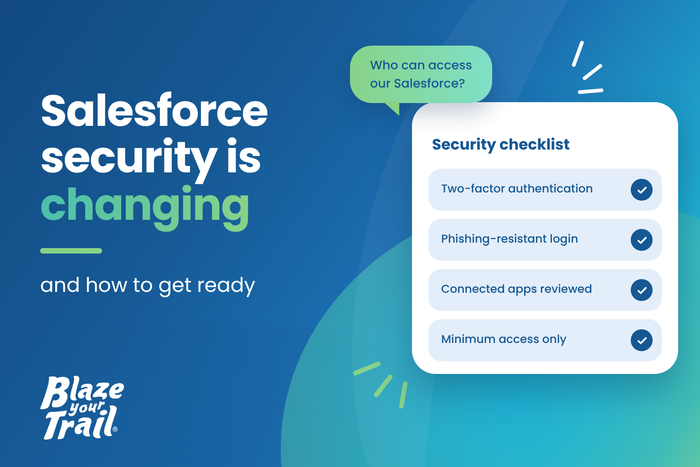
1. Turn on two-factor authentication everywhere. Make sure you and every member of your team have two-factor authentication on all the other apps you use, such as Zapier, Raisely, GiveNow and Mailchimp. This applies to every app, whether or not it connects to Salesforce.
2. Limit what connected apps can access. For apps that do connect to Salesforce, check that each one has only the minimum access it needs. For example, if an app creates donations for you, there's no reason for it to have access to other objects in your instance, such as Programs.
We can help you review and tighten up your connected apps. What this looks like will depend on how each app connects and which user it uses to connect, so we'll tailor the approach to your setup.
If you'd like a hand with this, get in touch with us, and we'll arrange a time to go through it with you: https://blazeyourtrail.org/pages/get-in-touch
Salesforce has spent this year tightening security, starting with user logins and now turning to the connected apps that access your data. Here’s what’s...
Ask ChatGPT, Gemini or Claude: “How do I donate to [your charity], and what does my donation fund?” What comes back?
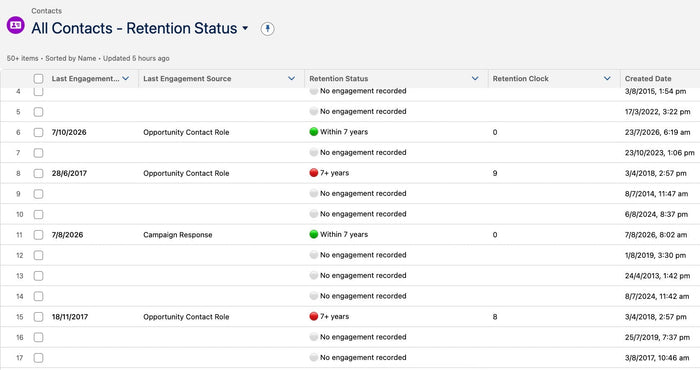
Equitable Philanthropy and EP Law have released a free Donor Data Retention Policy template for Australian charities. Blaze Your Trail’s Retention Clock helps Boards...