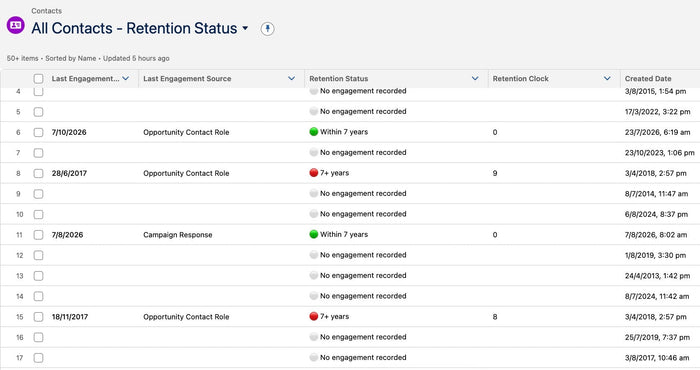
Old donor data is a risk your Board can measure and reduce
Equitable Philanthropy and EP Law have released a free Donor Data Retention Policy template for Australian charities. Blaze Your Trail’s Retention Clock helps Boards...
TLS Certificate changes: Deprecation of Dual-Use Certificates effective June 15, 2026, Reduced Certificate Lifespans effective March 15, 2026, and Root Certificate Transition effective February 5, 2026.

This article has a detailed explanation of these certificates (different from the self-signed certificates). These changes will only impact specific organisations that use these certificates, typically if they use older local IT infrastructure or Mutual TLS (mTLS) authentication between systems.
To check if the org has mTLS:
For inbound: In the Quick Find box, type Mutual Authentication; if not found, you don't have it configured
For outbound: Look for a CA-Signed Certificate in Certificate and Key Management; self-signed are not impacted. Also check Named Credentials in Setup; if empty, you are fine.
To know if you have any systems that will be impacted by the Salesforce Root Certificate Transition (DigiCert Global Root G2), you need to audit Inbound Connections—meaning any external software, script, or server that initiates a request into your Salesforce instance.
Most of the time, this is just fine; download the Login History from Setup and Filter or sort the sheet by the Login Type column. Look specifically for Remote Action (API) or OAuth Web Flow.
Look at the Application and Browser columns for those rows:
If you see "Zapier", "HubSpot", "Outlook/Gmail Integration", "Docusign": You are completely safe. These are massive, fully managed cloud tools. Their internal engineers keep them updated.
If you see "Dataloader.io": You are safe. This is a cloud tool managed by MuleSoft/Salesforce.
If you see "Data Loader" (the desktop app): If you or anyone on your team uses the desktop Data Loader app, ensure you are running a recent version. If your Data Loader was downloaded after 2017, it is completely safe. If it is ancient, download the newest version from Setup > Data Loader.
If you see a blank Application name, a generic string, or an old Java version (like Java/1.8.0_60): This is a red flag. It means you have a custom script or a legacy server hitting your Salesforce.
We can also check the Connected Apps OAuth Usage again in case anything odd has popped up, and check external vendor subscriptions (very unlikely), like an integration tool installed on an office computer or private server.
If anything looks unfamiliar, or you’re not sure what you’re looking at, we’re happy to help.
Equitable Philanthropy and EP Law have released a free Donor Data Retention Policy template for Australian charities. Blaze Your Trail’s Retention Clock helps Boards...
Two critical PHP security flaws, known as PHP2Shell, could affect any website built on WordPress. Here are four simple steps to check your server’s...
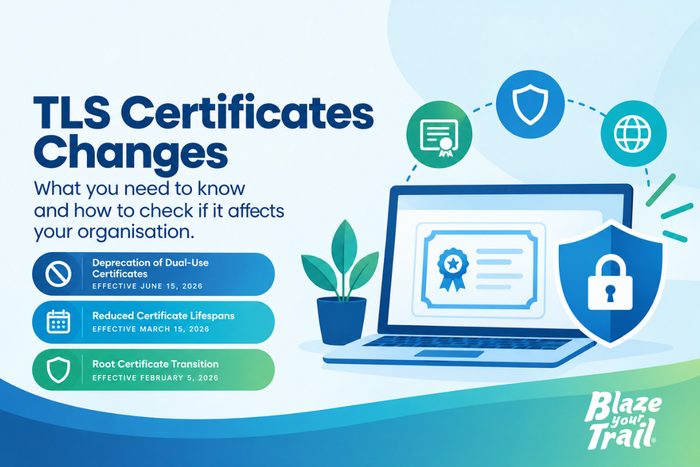
TLS Certificate changes: Deprecation of Dual-Use Certificates effective June 15, 2026, Reduced Certificate Lifespans effective March 15, 2026, and Root Certificate Transition effective February...